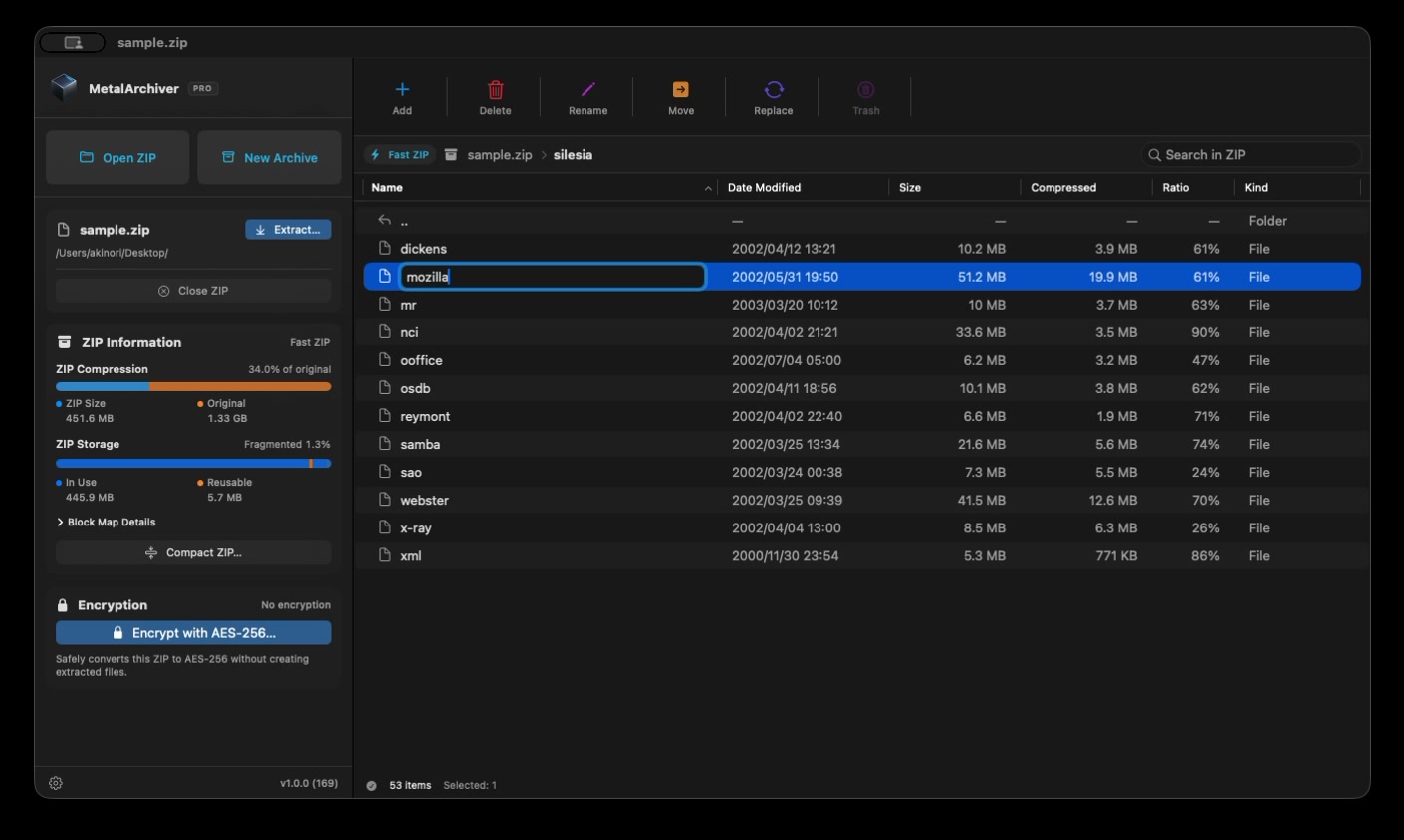
Partial ZIP extraction. Just what you need.
Browse the ZIP and extract only the files or folders you select, without unpacking the entire archive. Partial extraction is included in Free.
BridgeDevs / Mac Software
Features
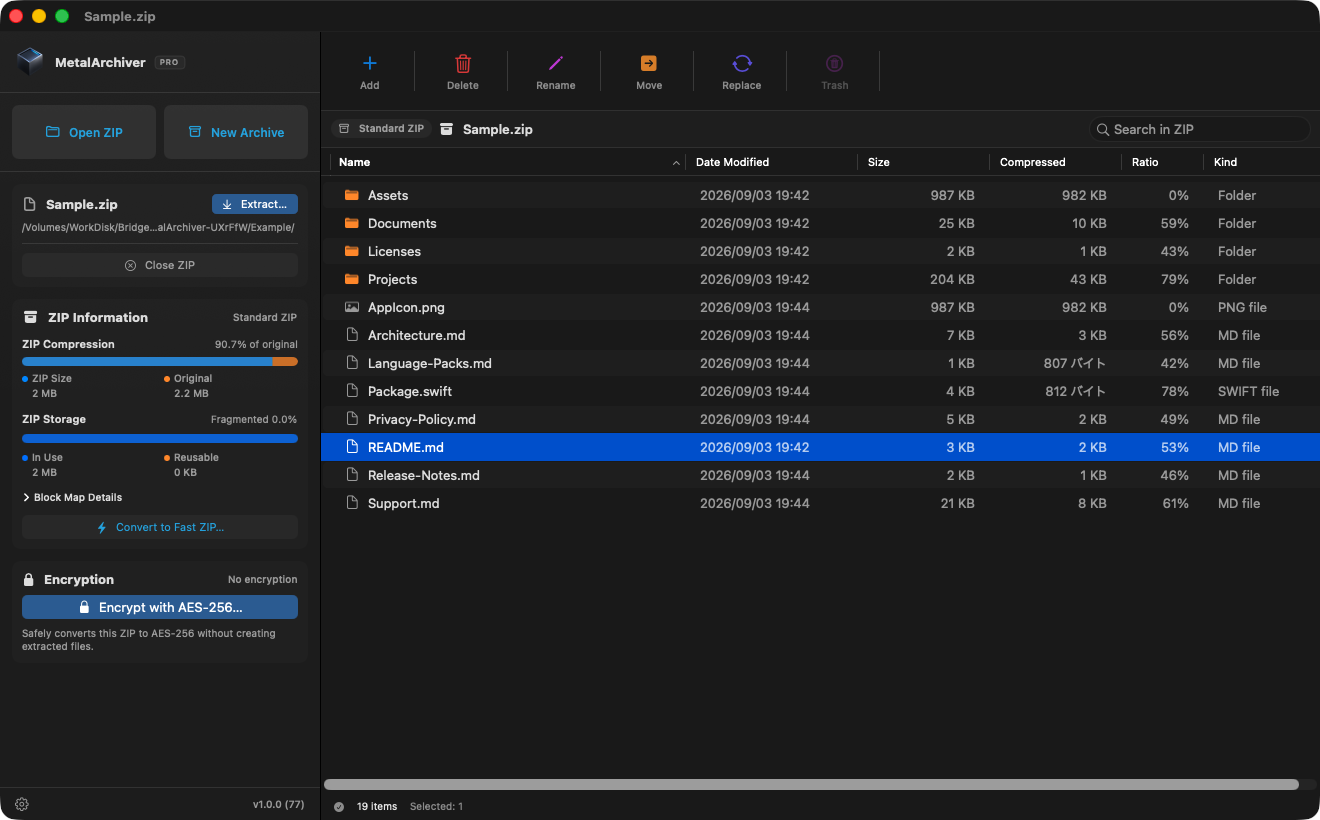
Browse, create, and edit archives in one app, without switching between separate tools.
Browse the ZIP and extract only the files or folders you select, without unpacking the entire archive. Partial extraction is included in Free.
Press ⌘F to search file names, folder names, and paths across the entire ZIP, including nested folders. Archive search is included in Free.
Metal accelerates standard ZIP and AES-256 operations. Create standard ZIP-compatible archives that common ZIP tools can extract.
Pro lets you add, replace, rename, and encrypt files in an archive. Organize the contents, then send it on.
Create & edit
Add files and folders, then choose a name and destination. MetalArchiver fast ZIP archives remain standard ZIP-compatible, so recipients can use common ZIP tools.
Forgot a document? Need to fix a filename? Edit the archive while it is open. Deleted items can be restored from the archive’s own trash.
Keyboard shortcuts
From finding a file to organizing an archive, familiar shortcuts keep your work moving.
Encryption · Pro
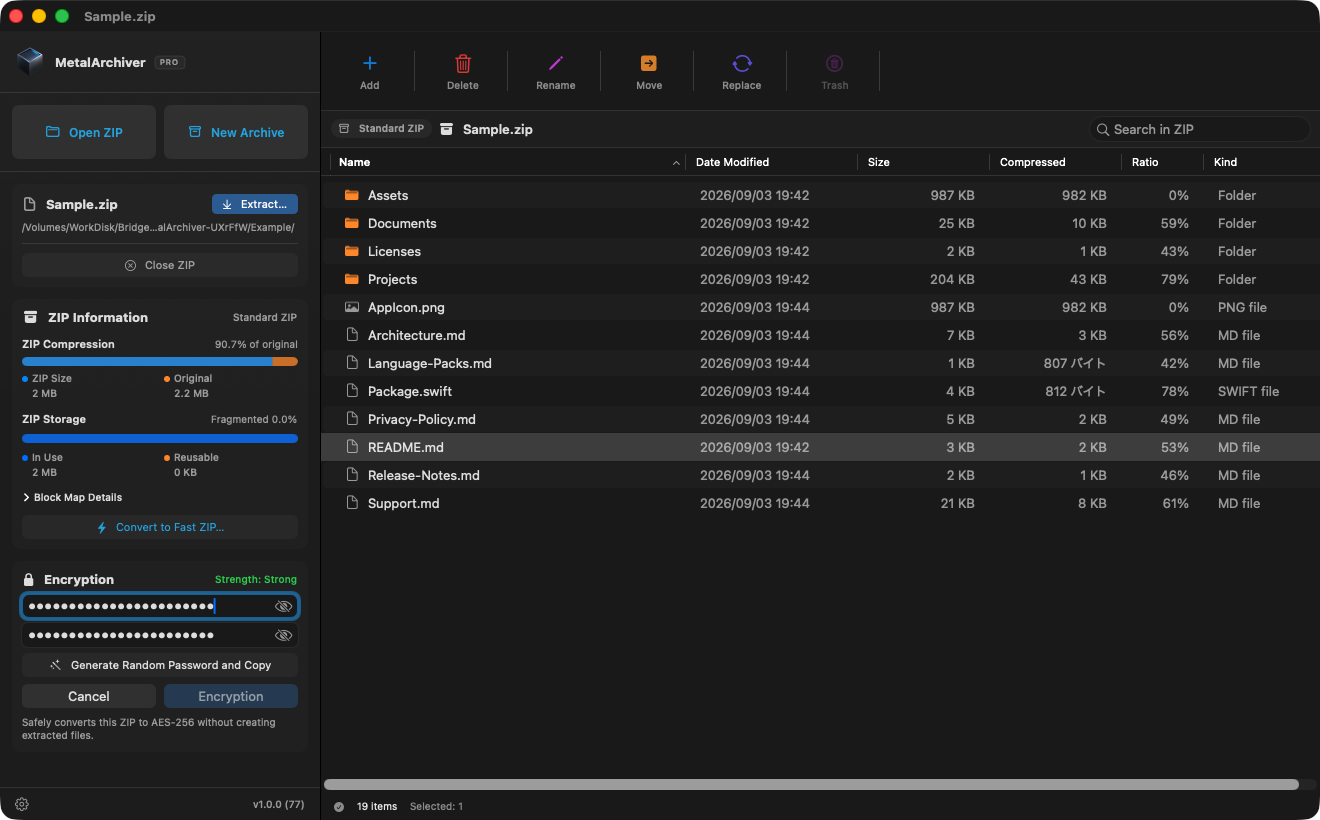
Convert a standard ZIP directly into an AES-256 encrypted ZIP, without extracting and recompressing its files first.
You can also create a new encrypted ZIP, change the password on an existing archive, or remove encryption. A strength indicator and confirmation field help you verify the password as you work.
Extracting encrypted ZIPs and removing encryption are available in Free.
Free & Pro
The basic features are free. Pro is a one-time in-app purchase at a standard price of US$14.99. Check the purchase screen in the app for the price in your region.
| Feature | FreeFree of charge | ProUS$14.99 standard price · One-time purchase |
|---|---|---|
| Browse ZIP contents | ||
| Search inside ZIP archives (file names, folder names, and paths) | ||
| Extract ZIP and AES-encrypted ZIP archives | ||
| Partial ZIP extraction (selected files and folders only) | ||
| Create and convert fast ZIP archives | ||
| Remove AES encryption | ||
| Metal acceleration (no size, item-count, or speed limits) | ||
| Create AES-256 encrypted ZIP archives | ||
| Encrypt an existing ZIP with AES-256 | ||
| Change an encrypted ZIP’s password | ||
| Add files and folders to a ZIP | ||
| Replace a file inside a ZIP | ||
| Rename files and folders inside a ZIP | ||
| Move items between folders inside a ZIP | ||
| Create a new folder inside a ZIP | ||
| Delete items into the ZIP’s own trash | ||
| Restore trashed items to their original location | ||
| Permanently delete trashed items or empty ZIP Trash | ||
| Optimize a ZIP by removing unused space |